Anonymous
Mar 28, 2026
Rating: 5/5
Amazing for handheld emulation
Running a simple GameBoy emulator on this was a breeze. The color reproduction is vibrant, and the response time is quick enough for gaming. Very happy with this purchase.
Description
Reviews
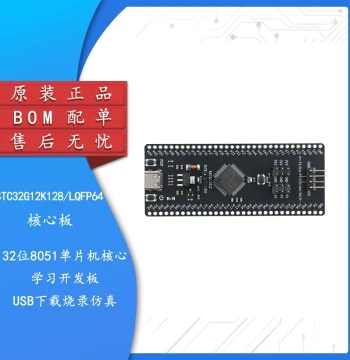
| Brand | - |
| Category | Robotics / STEM Teaching Tools / Development, Learning, Evaluation & Industrial Control Boards |
| Origin | - |
| Display Size | 1.47 inches |
| Resolution | 172 x 320 pixels |
| Interface | SPI |
| MCU | Raspberry Pi RP2350 |
| Flash Memory | 16MB QSPI NOR Flash |
| SRAM | 520KB |
| Onboard Features | RGB LED, SD Card Slot, Boot Button, Reset Button |
| Power Supply | 5V via USB Type-C |
| Dimensions | 46 x 24 mm |
| Supported OS | MicroPython, C/C++, Arduino Core |
Anonymous
Mar 28, 2026
Rating: 5/5
Amazing for handheld emulation
Running a simple GameBoy emulator on this was a breeze. The color reproduction is vibrant, and the response time is quick enough for gaming. Very happy with this purchase.
Anonymous
Mar 25, 2026
Rating: 5/5
Perfect for portable projects
The screen quality is surprisingly sharp for the size. The RP2350 chip handles graphics smoothly, and the onboard SD slot makes loading assets very easy. Highly recommended for wearable tech prototypes.
Anonymous
Mar 14, 2026
Rating: 5/5
Excellent upgrade from older models
The dual-core performance of the RP2350 is noticeable when driving this high-res display. Power consumption is low, making it ideal for battery-powered applications.
Anonymous
Mar 13, 2026
Rating: 5/5
Best learning tool for embedded GUIs
I used this for my university project to build a custom smartwatch interface. The MicroPython support made development incredibly fast. The form factor is compact and fits easily into 3D printed cases.
Anonymous
Mar 07, 2026
Rating: 4/5
Solid hardware, bright display
The brightness levels are sufficient for indoor use. The USB-C connector is sturdy. Only wish it had a built-in battery charging circuit, but that's expected at this price point.
Anonymous
Mar 01, 2026
Rating: 4/5
Great board, minor documentation gaps
Hardware is solid and the RGB LED is a nice touch for status indicators. Had to dig into GitHub examples to get the SPI speed optimized, but once configured, it works flawlessly.
Q: Does this board support CircuitPython?
A: Yes, the RP2350 chip fully supports CircuitPython. You can download the latest UF2 file from the official CircuitPython website and drag it onto the board while holding the boot button.
Q: Can I power this directly from a 3.7V LiPo battery?
A: No, this board requires a stable 5V input via the USB-C port. If you wish to use a LiPo battery, you must use an external 5V boost converter module between the battery and the board.
Q: Are there example codes available for driving the LCD?
A: Absolutely. Please visit the Waveshare Wiki page for this specific product. We provide comprehensive examples in C, C++, MicroPython, and Arduino showing how to initialize the screen and draw graphics.
Q: Is the pinout compatible with standard Raspberry Pi Pio headers?
A: The board uses castellation holes rather than pre-soldered headers. The pinout is specific to the RP2350 layout. You will need to solder your own headers or wires according to the pin diagram in the datasheet.
Q: What is the maximum capacity of the SD card supported?
A: The board supports standard SD and SDHC cards up to 32GB. While larger SDXC cards might work if formatted correctly, we officially recommend 32GB or lower for maximum compatibility.