Anonymous
Mar 28, 2026
Rating: 4/5
Good power efficiency
Runs cool even under load. Battery life on my portable project is much better than expected. Would buy again.
Description
Reviews
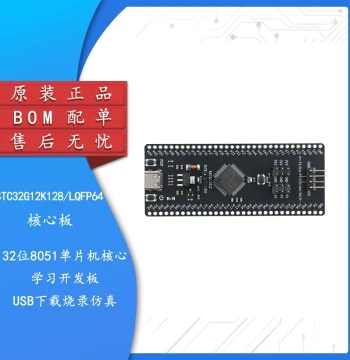
| Brand | - |
| Category | Robotics / STEM Teaching Tools / Development, Learning, Evaluation & Industrial Control Boards |
| Origin | - |
| Processor | Dual-core ARM Cortex-M0+ @ 133MHz |
| Flash Memory | 2MB On-board QSPI Flash |
| SRAM | 264KB Internal SRAM |
| GPIO Pins | 26 Multi-function GPIO Pins |
| ADC Channels | 3 x 12-bit SAR ADCs |
| USB Interface | USB 1.1 Host and Device Support |
| Programming | MicroPython, C, C++, CircuitPython |
| Power Input | 5V via Micro-USB or VSYS Pin |
| Board Dimensions | 51mm x 21mm |
| Color | Black PCB with Gold Plated Contacts |
Anonymous
Mar 28, 2026
Rating: 4/5
Good power efficiency
Runs cool even under load. Battery life on my portable project is much better than expected. Would buy again.
Anonymous
Mar 13, 2026
Rating: 5/5
Best learning board
As a beginner, I found this incredibly easy to use. The drag-and-drop programming feature makes testing code changes super fast.
Anonymous
Mar 11, 2026
Rating: 5/5
Perfect for embedded projects
This RP2040 board is fantastic. The dual-core performance handles my sensor data logging without any lag. Setup with MicroPython was instant.
Anonymous
Mar 10, 2026
Rating: 5/5
Solid industrial control potential
Using this for a small conveyor belt controller. The PIO state machines are a game changer for precise timing tasks. Highly recommended.
Anonymous
Mar 08, 2026
Rating: 5/5
Exceeded expectations
The build quality is surprisingly high for this price point. The USB-C connector feels sturdy, and the boot button is responsive.
Anonymous
Mar 06, 2026
Rating: 4/5
Great value, minor pin labeling issue
Excellent board for the price. I wish the GPIO pin numbers were printed slightly larger on the black PCB, but otherwise, it works flawlessly.
Q: Can I power this board with a 3.7V LiPo battery?
A: Yes, you can connect a LiPo battery to the VSYS and GND pins. The onboard regulator will handle the voltage conversion safely.
Q: How do I enter bootloader mode?
A: Hold down the BOOTSEL button while connecting the USB cable to your computer. The board will appear as a mass storage device for flashing.
Q: Is there a built-in LED on the board?
A: Yes, there is a built-in LED connected to GPIO 25, which is great for basic status indicators and testing.
Q: Does this board support Arduino IDE?
A: Yes, the RP2040 is fully supported by the Arduino IDE. You just need to install the Raspberry Pi Pico board package in the board manager.
Q: What is the maximum voltage for the GPIO pins?
A: The GPIO pins operate at 3.3V logic levels. Please do not connect 5V signals directly to the input pins to avoid damage.