Anonymous
Mar 26, 2026
Rating: 5/5
Exceeded expectations
Fast response time and very stable output. I integrated this into a control panel for my robot arm, and it performs flawlessly. The build quality feels solid.
Description
Reviews
| Brand | - |
| Category | Robotics / STEM Teaching Tools / Sensors |
| Origin | - |
| Dimensions | 15mm x 11mm |
| Channel Count | Single-Channel |
| Touch Type | Capacitive Momentary |
| Operating Voltage | 3.3V - 5V DC |
| Output Signal | Digital High/Low |
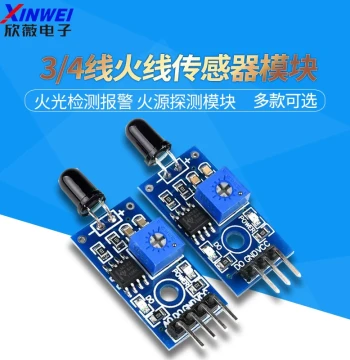
| Sensitivity | Adjustable via Potentiometer |
| Response Time | < 60ms |
| Mounting Style | Through-Hole / Self-Soldering |
| PCB Material | FR-4 Glass Epoxy |
| Application Range | DIY Electronics, IoT Prototyping |
Anonymous
Mar 26, 2026
Rating: 5/5
Exceeded expectations
Fast response time and very stable output. I integrated this into a control panel for my robot arm, and it performs flawlessly. The build quality feels solid.
Anonymous
Mar 13, 2026
Rating: 5/5
Compact and efficient
The 15x11mm footprint fits perfectly into tight spaces where mechanical switches wouldn't work. No false triggers detected so far. Highly recommended for prototyping.
Anonymous
Mar 10, 2026
Rating: 4/5
Great value, small learning curve
Works as described. It took me a moment to figure out the optimal voltage for my setup, but once dialed in, it triggers reliably every time. Compact size is a huge plus.
Anonymous
Mar 06, 2026
Rating: 5/5
Perfect for my smart lamp project
This module is incredibly responsive. The adjustable sensitivity knob made it easy to calibrate for my specific enclosure thickness. Soldering the pins was straightforward.
Anonymous
Mar 06, 2026
Rating: 4/5
Good sensitivity range
The potentiometer allows for a wide range of sensitivity adjustments. I was able to make it work through a thin plastic case. Only wish the documentation had more wiring diagrams.
Anonymous
Mar 03, 2026
Rating: 5/5
Reliable capacitive sensor
I've used these in several student workshops. They are robust and handle repeated testing well. The momentary action is consistent, making them ideal for button replacements.
Q: How do I adjust the sensitivity?
A: There is a small blue potentiometer on the board. Use a small screwdriver to turn it clockwise to increase sensitivity or counter-clockwise to decrease it until you achieve the desired trigger point.
Q: Does it stay on after touching or only while touching?
A: This is a momentary module, meaning the output signal is active only while the sensor is being touched. It resets immediately upon release.
Q: Is this compatible with Arduino Uno?
A: Absolutely. You can connect the VCC to 5V, GND to GND, and the OUT pin to any digital input pin on your Arduino Uno.
Q: What is the maximum current this output pin can source?
A: The output pin is designed for logic level signaling. We recommend keeping the load under 20mA or using a transistor/MOSFET to drive higher current loads like LEDs or relays.
Q: Can this module detect touch through glass?
A: Yes, provided the glass is not too thick (typically under 3-4mm) and the sensitivity is adjusted correctly using the onboard potentiometer.