Anonymous
Mar 27, 2026
Rating: 5/5
Reliable for industrial sensing
We are using these for a small batch of environmental sensors. The wired Ethernet connection is much more reliable than WiFi in our metal enclosure setup.
Description
Reviews
| Brand | - |
| Category | Robotics / STEM Teaching Tools / Development, Learning, Evaluation & Industrial Control Boards |
| Origin | - |
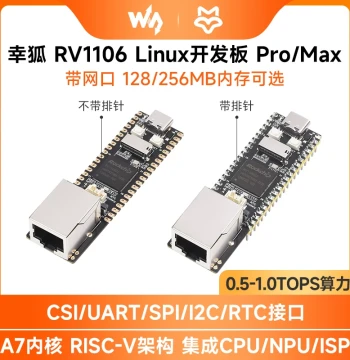
| Microcontroller | Raspberry Pi RP2040 |
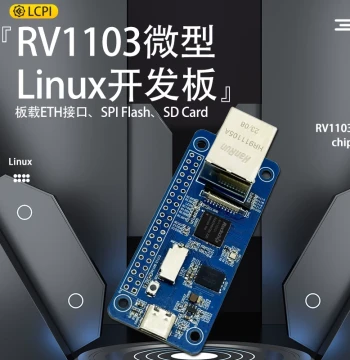
| Ethernet Interface | W5500 with RJ45 Connector |
| Flash Memory | 2MB On-board QSPI Flash |
| Operating Voltage | 5V DC via Micro USB or GPIO |
| GPIO Pins | 26 Multi-function Pins |
| Debug Interface | SWD Header Included |
| Dimensions | 51mm x 21mm |
| Weight | 8 grams |
| Supported Languages | C/C++, MicroPython, CircuitPython |
| Connector Type | Castellated Holes for Soldering |
Anonymous
Mar 27, 2026
Rating: 5/5
Reliable for industrial sensing
We are using these for a small batch of environmental sensors. The wired Ethernet connection is much more reliable than WiFi in our metal enclosure setup.
Anonymous
Mar 25, 2026
Rating: 5/5
Best value RP2040 with ETH
Compared to other boards with similar specs, this offers the best price-to-performance ratio. The W5500 implementation handles TCP/IP stacks very efficiently.
Anonymous
Mar 20, 2026
Rating: 5/5
Easy transition from Pico
If you already know how to use the standard Raspberry Pi Pico, this board works exactly the same way plus networking. Highly recommended for learning network programming.
Anonymous
Mar 09, 2026
Rating: 5/5
Perfect for IoT Projects
The built-in Ethernet module saves so much time compared to adding a separate shield. Setup with MicroPython was straightforward, and the connection is stable.
Anonymous
Mar 07, 2026
Rating: 4/5
Solid performance
Bought ten of these for our workshop. They all worked out of the box. The only downside is the micro USB port feels slightly loose on two of the units, but still functional.
Anonymous
Mar 03, 2026
Rating: 4/5
Great board, minor documentation gaps
Hardware quality is excellent as expected from Waveshare. The pinout is clear, but I wished the example code for the W5500 chip was more detailed in the wiki.
Q: Can I use this with the Arduino IDE?
A: Absolutely. You can install the Raspberry Pi Pico board package in the Arduino IDE and use the available Ethernet libraries to program this board.
Q: Is the source code for the Ethernet driver open source?
A: Yes, Waveshare provides open-source examples and libraries for C/C++ and MicroPython on their official Wiki and GitHub repository.
Q: What is the maximum cable length supported for stable connection?
A: As it uses standard Ethernet protocols, it supports up to 100 meters (328 feet) with a high-quality Cat5e or Cat6 cable, adhering to IEEE 802.3 standards.
Q: Does this board support Power over Ethernet (PoE)?
A: No, this specific model does not support Power over Ethernet. It must be powered via the Micro USB port or the VSYS/5V GPIO pins.
Q: Are the castellated holes pre-soldered?
A: No, the castellated holes are not pre-soldered. They are designed for you to solder headers or connect the board directly to a custom PCB if needed.