Anonymous
Mar 31, 2026
Rating: 5/5
Ideal for edge AI inference
I am using this for simple object detection tasks. The NPU capabilities combined with the Linux environment make it a superior choice over standard microcontrollers for this application.
Description
Reviews
| Brand | - |
| Category | Robotics / STEM Teaching Tools / Development, Learning, Evaluation & Industrial Control Boards |
| Origin | - |
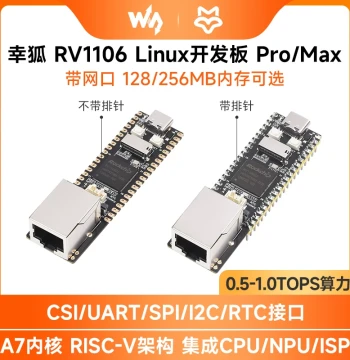
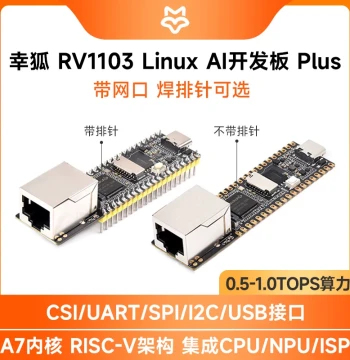
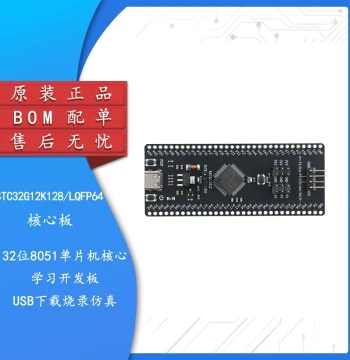
| Processor | Rockchip RV1103 ARM Cortex-A7 |
| Main Frequency | Up to 1.2GHz |
| RAM | 64MB DDR3 |
| Storage | 128MB SPI NAND Flash |
| OS Support | Buildroot Linux, Ubuntu |
| Connectivity | 10/100M Ethernet, USB 2.0 Host/Device |
| Display Interface | RGB LCD, MIPI DSI |
| Camera Interface | MIPI CSI |
| Expansion | 26-pin GPIO Header |
| Power Supply | 5V via USB Type-C |
Anonymous
Mar 31, 2026
Rating: 5/5
Ideal for edge AI inference
I am using this for simple object detection tasks. The NPU capabilities combined with the Linux environment make it a superior choice over standard microcontrollers for this application.
Anonymous
Mar 22, 2026
Rating: 5/5
Perfect for lightweight Linux projects
This board is incredibly compact yet powerful enough for my IoT gateway project. The boot time is fast, and the GPIO access works flawlessly with Python scripts.
Anonymous
Mar 12, 2026
Rating: 4/5
Great value but documentation needs work
Hardware quality is excellent for the price point. However, finding specific pinout diagrams for some peripheral interfaces required digging through forum posts. Once set up, it runs stable.
Anonymous
Mar 10, 2026
Rating: 4/5
Good learning tool
As a student learning embedded Linux, this board offers the right balance of complexity and usability. The community support is growing, which helps when troubleshooting.
Anonymous
Mar 08, 2026
Rating: 5/5
Reliable for prototyping
We used several of these for initial prototyping of a control module. They handled continuous operation well during our testing phase. Will likely order more for final deployment.
Anonymous
Mar 03, 2026
Rating: 5/5
Solid build quality
The PCB layout is clean, and the USB-C power delivery is reliable. I appreciate that it comes with a pre-flashed SD card image to get started immediately without complex compilation.
Q: Is there a JTAG header available for debugging?
A: Yes, there are test points on the PCB for JTAG debugging, though you may need to solder wires directly or use a specific adapter clip depending on your debugger setup.
Q: What voltage levels are the GPIO pins?
A: The GPIO pins operate at 3.3V logic levels. Please ensure you use level shifters if connecting to 5V devices to avoid damaging the board.
Q: Can I run Docker containers on this device?
A: While technically possible due to the Linux OS, the 64MB RAM limitation makes running standard Docker containers very difficult. It is better suited for native applications or lightweight container alternatives.
Q: How do I update the firmware?
A: You can update the firmware by booting from an SD card with the new image or by using the USB recovery mode tool provided in the official GitHub repository.
Q: Does this board support WiFi out of the box?
A: No, the Luckfox Pico Xinghu does not have built-in WiFi. You can connect a USB WiFi dongle to the USB host port for wireless connectivity.