Anonymous
Mar 26, 2026
Rating: 5/5
Solid build quality
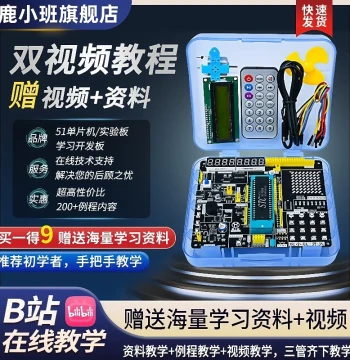
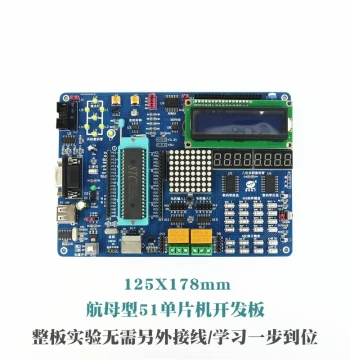
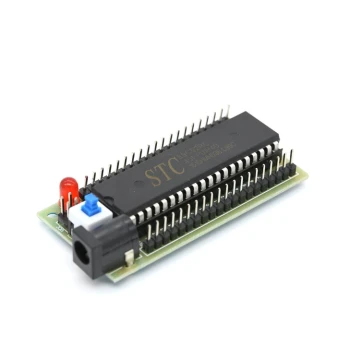
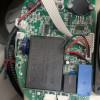
I've used several 51 MCU boards before, and this Kingst version has excellent soldering and component placement. The USB programmer makes uploading code very easy.
Description
Reviews
| Brand | - |
| Category | Robotics / STEM Teaching Tools / Development, Learning, Evaluation & Industrial Control Boards |
| Origin | - |
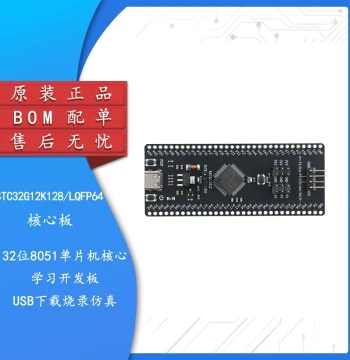
| Microcontroller Unit | 8051 Compatible (STC89C52RC) |
| Operating Voltage | 5V DC |
| Clock Frequency | 11.0592 MHz Crystal Oscillator |
| Program Memory | 8KB Flash ROM |
| Data Memory | 256 Bytes RAM |
| I/O Ports | 32 Programmable I/O Lines |
| Communication Interfaces | UART, SPI, I2C Support |
| Programming Interface | USB to Serial ISP Programmer Included |
| Onboard Peripherals | 8 LEDs, 4 Keys, Buzzer, 7-Segment Display |
| Included Resources | Step-by-Step Tutorial PDF and Source Code |
Anonymous
Mar 26, 2026
Rating: 5/5
Solid build quality
I've used several 51 MCU boards before, and this Kingst version has excellent soldering and component placement. The USB programmer makes uploading code very easy.
Anonymous
Mar 25, 2026
Rating: 5/5
Perfect for beginners!
This board is exactly what I needed to start learning embedded systems. The step-by-step guide is clear, and the hardware is robust. Highly recommended for students.
Anonymous
Mar 21, 2026
Rating: 4/5
Great value, minor documentation typo
The board works flawlessly with Keil and STC-ISP software. Found one small typo in chapter 3 of the manual, but the code examples are correct. Good purchase overall.
Anonymous
Mar 12, 2026
Rating: 5/5
Nostalgic and functional
Brings back memories of my college days but with modern USB convenience. The crystal frequency is standard for serial communication projects. Works perfectly.
Anonymous
Mar 06, 2026
Rating: 5/5
Excellent teaching tool
Bought this for my university lab. The onboard peripherals like the buzzer and 7-segment display save time on wiring external components. Students love it.
Anonymous
Mar 02, 2026
Rating: 4/5
Good starter kit
As someone new to microcontrollers, the progression from blinking an LED to using timers was very logical. Would give 5 stars if it came with a protective case.
Q: Can I use this board with macOS?
A: Yes, you can use it with macOS. You will need to install the appropriate CH340 or CP210x USB-to-UART driver depending on the specific batch, and use cross-platform IDEs or virtual machines for compilation.
Q: Does this board support C language programming or only Assembly?
A: This board fully supports both C language (using Keil C51 compiler) and Assembly language. The included tutorial provides examples in C.
Q: Is the USB cable included in the package?
A: Yes, the package includes a standard USB-A to Mini-USB cable for both power supply and program downloading.
Q: What is the maximum current draw for the 5V pin?
A: The onboard 5V rail is primarily for powering the MCU and low-power peripherals. We recommend not drawing more than 500mA total from the USB port to ensure stable operation.
Q: Are the schematic diagrams available for download?
A: Yes, the full schematic diagrams and PCB layout files are available in the 'Resources' section of our official website under the product model number.