Anonymous
Mar 31, 2026
Rating: 5/5
Ideal for retro gaming console
Built a handheld emulator with this. It handles NES, SNES, and Game Boy Advance games flawlessly. The form factor is tiny, making it easy to fit into custom 3D printed cases.
Description
Reviews
| Brand | - |
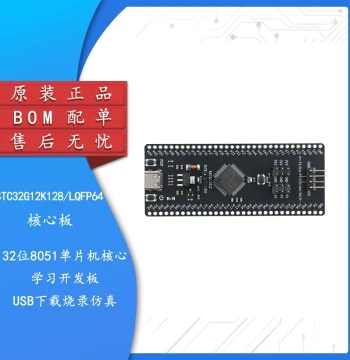
| Category | Robotics / STEM Teaching Tools / Development, Learning, Evaluation & Industrial Control Boards |
| Origin | - |
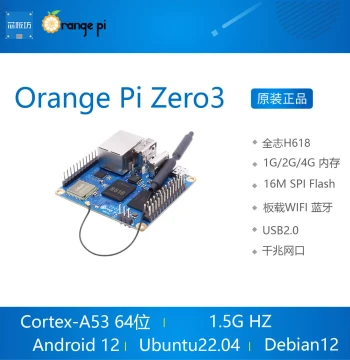
| Processor | Quad-core ARM Cortex-A53 @ 1GHz |
| Memory | 512MB LPDDR2 SDRAM |
| Connectivity | 802.11 b/g/n Wireless LAN, Bluetooth 4.2 |
| Video Output | Mini HDMI port up to 1080p60 |
| USB Ports | 1x Micro USB OTG, 1x Micro USB Power |
| Storage | MicroSD card slot (card not included) |
| GPIO | 40-pin unpopulated header |
| Dimensions | 65mm x 30mm x 5mm |
| Weight | Approximately 12 grams |
| Power Supply | 5V/2.5A via Micro USB recommended |
Anonymous
Mar 31, 2026
Rating: 5/5
Ideal for retro gaming console
Built a handheld emulator with this. It handles NES, SNES, and Game Boy Advance games flawlessly. The form factor is tiny, making it easy to fit into custom 3D printed cases.
Anonymous
Mar 23, 2026
Rating: 5/5
Perfect for compact IoT projects
The Pi Zero 2 W is a massive upgrade over the original Zero. The quad-core processor makes it actually usable for light desktop tasks and handles Python scripts much faster. Great for embedding in small enclosures.
Anonymous
Mar 17, 2026
Rating: 4/5
Solid choice for Home Assistant
Running Home Assistant on this works well for basic automations. It does get a bit warm under continuous load, so I added a small heatsink. For the price, you can't beat the value.
Anonymous
Mar 12, 2026
Rating: 4/5
Great board, but needs a good power supply
Performance is excellent for the size. However, be sure to use a high-quality 2.5A power adapter, or you might experience instability when using WiFi and GPIO pins simultaneously. Otherwise, highly recommended.
Anonymous
Mar 08, 2026
Rating: 5/5
Exceeded my expectations
Coming from the Pi Zero 1, the speed difference is night and day. Compiling code is faster, and browsing the web is actually bearable now. A must-have for any electronics hobbyist.
Anonymous
Mar 08, 2026
Rating: 5/5
Best learning tool for beginners
I bought this to learn Linux and coding. It's affordable and powerful enough to run Scratch, Python, and even lightweight web servers. The built-in WiFi saves so much hassle compared to older models.
Q: Does this board come with a pre-installed SD card?
A: No, the Raspberry Pi Zero 2 W is sold as a board only. You will need to purchase a MicroSD card separately and install the operating system yourself using the Raspberry Pi Imager tool.
Q: What is the maximum resolution supported for video output?
A: The Mini HDMI port supports resolutions up to 1080p at 60Hz. You will need a Mini HDMI to Standard HDMI cable or adapter to connect it to most monitors or TVs.
Q: Is this compatible with cases designed for the original Pi Zero?
A: Most cases designed for the original Raspberry Pi Zero are physically compatible since the dimensions are identical. However, ensure the case has cutouts for the slightly different component placement if applicable, though generally they fit perfectly.
Q: Is the GPIO header pre-soldered?
A: No, the 40-pin GPIO header comes unpopulated. You will need to solder the pins yourself if you wish to use them, which allows for a lower profile if you plan to embed the board tightly.
Q: Can I connect a standard keyboard and mouse directly?
A: Yes, but since it has a Micro USB OTG port, you will need a Micro USB to Standard USB adapter (OTG cable) to connect standard USB peripherals like keyboards and mice.