Anonymous
Mar 27, 2026
Rating: 5/5
Best budget 6-axis module
I have tried several MPU6050 breakout boards, and this JY61 version is superior because of the onboard processing. No more noisy raw data to filter manually. Excellent purchase.
Description
Reviews
| Brand | - |
| Category | Robotics / STEM Teaching Tools / Sensors |
| Origin | - |
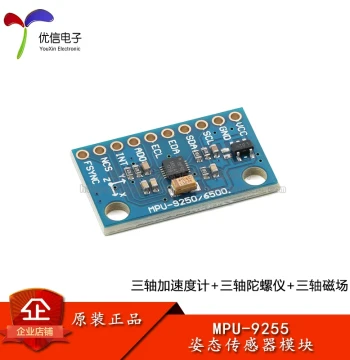
| Chip Model | MPU-6050 |
| Axes | 6-Axis (3-Axis Accelerometer + 3-Axis Gyroscope) |
| Communication Interface | I2C / UART Serial |
| Operating Voltage | 3.3V - 5V DC |
| Built-in Algorithm | Kalman Filter / DMP |
| Output Data | Acceleration, Angular Velocity, Euler Angles |
| PCB Dimensions | 22mm x 17mm x 3mm |
| Mounting Holes | 4 x 3mm diameter |
| Compatibility | Arduino, STM32, Raspberry Pi, ESP32 |
| Package Includes | 1x JY61 Sensor Module, 1x Pin Header |
Anonymous
Mar 27, 2026
Rating: 5/5
Best budget 6-axis module
I have tried several MPU6050 breakout boards, and this JY61 version is superior because of the onboard processing. No more noisy raw data to filter manually. Excellent purchase.
Anonymous
Mar 22, 2026
Rating: 5/5
Perfect for drone stabilization projects
The Kalman filter implementation on this module is impressive. It outputs stable angle data right out of the box without needing complex coding on the microcontroller side. Highly recommended for DIY drones.
Anonymous
Mar 14, 2026
Rating: 4/5
Great value, easy to integrate
Works well with my Arduino Uno. The serial output is straightforward to parse. Only giving 4 stars because the documentation link was broken, but I found examples online easily.
Anonymous
Mar 13, 2026
Rating: 5/5
Solid build quality
The PCB looks professional and the soldering is clean. I've been running this in a self-balancing robot for weeks with no drift issues. The vibration damping seems adequate for most hobby applications.
Anonymous
Mar 11, 2026
Rating: 5/5
Saves so much processing time
Having the DMP and Kalman filter run on the sensor itself frees up my main processor significantly. The latency is low, and the data refresh rate is consistent.
Anonymous
Mar 06, 2026
Rating: 3/5
Good sensor, confusing initial setup
The hardware works fine once configured, but figuring out the baud rate and command set took some trial and error. A printed quick-start guide would have been nice.
Q: How do I calibrate the sensor if the angles seem off?
A: You can perform a calibration by placing the sensor on a flat, stationary surface and sending the 'AHRS' calibration command via the serial terminal. Detailed steps are in section 4 of the user manual.
Q: Is there a Python library available for reading data on Raspberry Pi?
A: Yes, we provide a sample Python script on our GitHub repository that uses the pyserial library to read and parse the data packets from the sensor on Raspberry Pi.
Q: Can I use this with a 5V Arduino Nano?
A: Yes, the module includes a voltage regulator and level shifting, making it safe to connect directly to 5V logic boards like the Arduino Nano or Uno.
Q: Does this module support I2C communication or only UART?
A: This specific JY61 model is primarily designed for UART serial communication to output processed angles directly. While the underlying MPU6050 chip supports I2C, this board firmware is optimized for serial output. Please check the pinout diagram in the manual for configuration options.
Q: What is the default baud rate for the serial output?
A: The factory default baud rate is 9600 bps. However, this can be changed to 115200 or other standard rates using the configuration commands provided in our software toolkit.