Anonymous
Mar 30, 2026
Rating: 5/5
Compact and powerful
Love the form factor. It's small enough to fit into custom enclosures but powerful enough for complex logic. The screen refresh rate is surprisingly good.
Description
Reviews
| Brand | - |
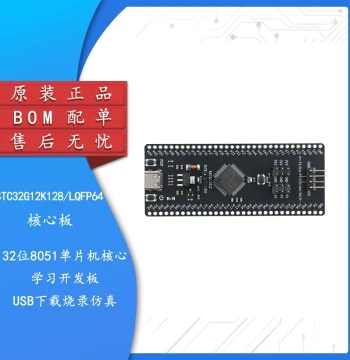
| Category | Robotics / STEM Teaching Tools / Development, Learning, Evaluation & Industrial Control Boards |
| Origin | - |
| Microcontroller | Raspberry Pi RP2040 |
| Display Type | 1.14-inch IPS LCD |
| Resolution | 240 x 135 pixels |
| Interface | USB Type-C |
| Flash Memory | 2MB onboard |
| Programming Languages | MicroPython, C/C++, CircuitPython |
| Dimensions | 51mm x 21mm (board only) |
| Included Accessories | Protective Case, USB Cable |
| Power Supply | 5V via USB or VSYS pin |
| Debug Interface | SWD Header included |
Anonymous
Mar 30, 2026
Rating: 5/5
Compact and powerful
Love the form factor. It's small enough to fit into custom enclosures but powerful enough for complex logic. The screen refresh rate is surprisingly good.
Anonymous
Mar 12, 2026
Rating: 5/5
Perfect starter board for RP2040
This board is fantastic for learning MicroPython. The built-in screen saves so much wiring time, and the case fits perfectly. Highly recommended for beginners.
Anonymous
Mar 11, 2026
Rating: 4/5
Good but needs patience
As a beginner, I found the setup took a little time to understand, but once running, it's very stable. The community support for RP2040 is huge which helps.
Anonymous
Mar 09, 2026
Rating: 5/5
Excellent value for money
I bought this for my university project. The debugger functionality works flawlessly with Thonny IDE. The protective case is a nice bonus that prevents shorts on my desk.
Anonymous
Mar 06, 2026
Rating: 5/5
Solid build quality
Waveshare never disappoints. The PCB layout is clean, soldering points are accessible if you need to add sensors, and the USB-C connection is sturdy.
Anonymous
Mar 02, 2026
Rating: 4/5
Great hardware, minor docs issue
The hardware quality is excellent and the LCD is bright. Documentation could be slightly more detailed for advanced C++ projects, but overall a solid purchase.
Q: Does the LCD support touch input?
A: No, the 1.14-inch display on this model is an IPS LCD without touch capabilities. It is strictly for visual output.
Q: Does this board come with pre-installed firmware?
A: The board comes with a basic demo program to test the LCD and LEDs, but you will likely want to flash your own MicroPython or C++ code for development.
Q: Can I power this board with a battery?
A: Yes, you can connect a Li-Po battery to the VBUS or VSYS pins, provided the voltage is within the safe operating range (typically up to 5.5V). Please check the schematic for specific pinout details.
Q: What software do I need to program this?
A: You can use the Thonny IDE for MicroPython, the Arduino IDE with the Raspberry Pi Pico core, or Visual Studio Code with the PlatformIO extension for C/C++ development.
Q: Is the case included in the package?
A: Yes, this specific SKU includes a transparent protective acrylic case designed specifically for the RP2040-GEEK board.