Anonymous
Mar 25, 2026
Rating: 4/5
Great chip, headers need soldering
The board works flawlessly out of the box once you solder the headers on. Just be aware they don't come pre-soldered on the base model.
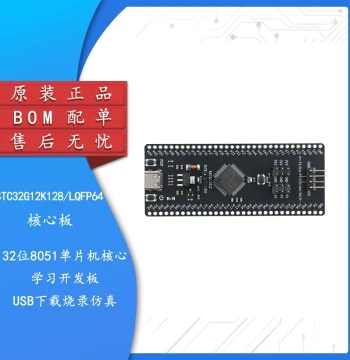
Description
Reviews
| Brand | - |
| Category | Robotics / STEM Teaching Tools / Development, Learning, Evaluation & Industrial Control Boards |
| Origin | - |
| Processor | Dual-core ARM Cortex-M0+ @ 133MHz |
| Memory | 264KB on-chip SRAM |
| Flash Storage | 2MB onboard QSPI flash |
| GPIO Pins | 26 multi-function GPIO pins |
| Programming Languages | MicroPython, C, C++, CircuitPython |
| Connectivity | USB 1.1 Host and Device support |
| Power Input | 5V via Micro-USB or VSYS pin |
| Dimensions | 51mm x 21mm |
| Weight | Approximately 4 grams |
| Included Accessories | Headers not soldered (optional kit available) |
Anonymous
Mar 25, 2026
Rating: 4/5
Great chip, headers need soldering
The board works flawlessly out of the box once you solder the headers on. Just be aware they don't come pre-soldered on the base model.
Anonymous
Mar 16, 2026
Rating: 4/5
Solid hardware, great docs
Very stable board. The only reason for 4 stars is I wish it had built-in WiFi like the Pico W, but for the price, it's unbeatable.
Anonymous
Mar 12, 2026
Rating: 5/5
Powerful dual-core performance
Using this for a small robotics project. The dual-core architecture handles sensor reading and motor control simultaneously without lag.
Anonymous
Mar 11, 2026
Rating: 5/5
Excellent learning tool
Bought this for my electronics class. The documentation is superb, and the community support is huge. Highly recommended for students.
Anonymous
Mar 11, 2026
Rating: 5/5
Perfect for beginners and pros alike
The RP2040 is incredibly easy to set up. Drag and drop programming with MicroPython makes prototyping a breeze. Great value for the price.
Anonymous
Mar 10, 2026
Rating: 5/5
Best budget dev board
I have tried many microcontrollers, but the ease of use with the Raspberry Pi ecosystem makes this my go-to choice for new projects.
Q: Can I power this board with a 3.7V LiPo battery?
A: Yes, you can connect a LiPo battery to the VSYS pin, provided the voltage stays within the acceptable range (1.8V to 5.5V). Ensure you manage charging separately.
Q: Does the free learning material include video tutorials?
A: Yes, your purchase includes access to our digital library which contains written guides, code examples, and links to official video tutorials.
Q: What is the maximum current draw per GPIO pin?
A: Each GPIO pin can safely source or sink up to 4mA. The total current for all IO pads should not exceed 50mA to ensure stability.
Q: Does this board come with headers pre-soldered?
A: No, the standard RP2040 Pico board comes with unsoldered header pins. You will need to solder them yourself or purchase a version labeled 'with headers'.
Q: Is this compatible with Arduino IDE?
A: Yes, the RP2040 is fully supported by the Arduino IDE. You simply need to install the Raspberry Pi Pico board package via the Board Manager.