Anonymous
Mar 28, 2026
Rating: 5/5
Excellent value for money
I've used many development boards, but the Pico offers the best performance-to-cost ratio. The dual-core processing handles multitasking beautifully in my sensor projects.
Description
Reviews
| Brand | - |
| Category | Robotics / STEM Teaching Tools / Development, Learning, Evaluation & Industrial Control Boards |
| Origin | - |
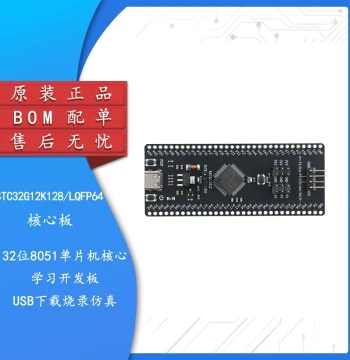
| Microcontroller | RP2040 |
| CPU Architecture | Dual-core ARM Cortex-M0+ |
| Clock Speed | Up to 133 MHz |
| Flash Memory | 2 MB on-board QSPI |
| SRAM | 264 KB |
| GPIO Pins | 26 multi-function pins |
| Programming Languages | MicroPython, C, C++ |
| USB Interface | USB 1.1 Host and Device |
| Operating Voltage | 1.8V to 5.5V |
| Dimensions | 51mm x 21mm |
Anonymous
Mar 28, 2026
Rating: 5/5
Excellent value for money
I've used many development boards, but the Pico offers the best performance-to-cost ratio. The dual-core processing handles multitasking beautifully in my sensor projects.
Anonymous
Mar 23, 2026
Rating: 4/5
Solid performance, compact size
Love the small form factor. Fits perfectly into my custom enclosures. Only wish it had built-in WiFi, but that's expected at this price point.
Anonymous
Mar 17, 2026
Rating: 5/5
Robust industrial control capability
Using this for a custom motor controller. The PIO state machines are a game changer for precise timing without CPU overhead. Highly recommended for industrial apps.
Anonymous
Mar 15, 2026
Rating: 4/5
Great board, slight learning curve
Hardware is fantastic. As someone new to C++, I found the setup slightly challenging initially, but the community support helped me get started quickly.
Anonymous
Mar 10, 2026
Rating: 5/5
Best tool for university projects
Bought this for my final year project. It handles data logging and WiFi connectivity (with an external module) without breaking a sweat. Very reliable.
Anonymous
Mar 07, 2026
Rating: 5/5
Perfect for beginners and pros alike
The RP2040 chip is incredibly powerful for the price. Setting up MicroPython was seamless, and the documentation is excellent. Great board for learning embedded systems.
Q: Is this compatible with Arduino IDE?
A: Yes, the RP2040 is fully supported by the Arduino IDE. You simply need to install the Raspberry Pi Pico board package through the Board Manager.
Q: Does this board come with headers pre-soldered?
A: No, the standard Raspberry Pi Pico comes with unsoldered header pins to allow for flexible mounting options. You will need to solder them yourself or use pin sockets.
Q: How do I enter bootloader mode to flash new firmware?
A: Hold down the BOOTSEL button while connecting the board to your computer via USB. It will appear as a mass storage device where you can drag and drop your .uf2 file.
Q: Can I power this board directly via the GPIO pins?
A: Yes, you can power the Pico via the VSYS pin (1.8V to 5.5V). However, for stable operation during development, using the micro USB port is recommended.
Q: What is the maximum current draw per GPIO pin?
A: Each GPIO pin can safely source or sink up to 4mA. The total current drawn from all GPIO pins combined should not exceed 50mA to ensure board stability.