Anonymous
Mar 17, 2026
Rating: 5/5
Reliable and robust
I've purchased three of these for my kids' robotics club. They are durable and have survived several accidental short circuits. Highly recommended for educational kits.
Description
Reviews
| Brand | - |
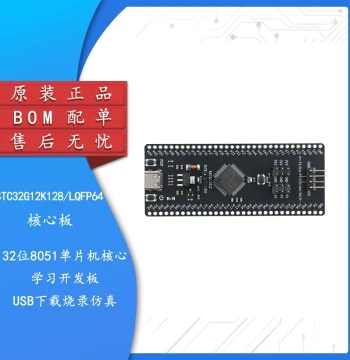
| Category | Robotics / STEM Teaching Tools / Development, Learning, Evaluation & Industrial Control Boards |
| Origin | - |
| Microcontroller | ATmega328P |
| Operating Voltage | 5V |
| Digital I/O Pins | 14 (6 PWM outputs) |
| Analog Input Pins | 6 |
| Flash Memory | 32 KB (0.5 KB used by bootloader) |
| SRAM | 2 KB |
| EEPROM | 1 KB |
| Clock Speed | 16 MHz |
| USB Interface | CH340G / ATmega16U2 (varies by batch) |
| Compatibility | Arduino IDE, C++, Graphical Programming Tools |
Anonymous
Mar 17, 2026
Rating: 5/5
Reliable and robust
I've purchased three of these for my kids' robotics club. They are durable and have survived several accidental short circuits. Highly recommended for educational kits.
Anonymous
Mar 15, 2026
Rating: 4/5
Great value for learning MCU basics
Bought this for my university project. It handles graphical programming blocks well and compiles C code without issues. Only minor downside is the USB cable wasn't included.
Anonymous
Mar 13, 2026
Rating: 3/5
Decent but check your power supply
The board functions well for logic tasks, but be careful when powering high-current devices directly from the 5V pin. Use an external power source for motors to avoid resets.
Anonymous
Mar 04, 2026
Rating: 5/5
Excellent compatibility
Works exactly like the original reference design. I use it for rapid prototyping before moving to custom PCBs. The 16MHz clock speed is sufficient for most sensor applications.
Anonymous
Mar 04, 2026
Rating: 4/5
Good board, driver installation needed
The hardware is solid, but make sure you install the CH340 drivers if your computer doesn't recognize it immediately. Once set up, it works perfectly for learning.
Anonymous
Mar 01, 2026
Rating: 5/5
Perfect for beginners and prototyping
This board works flawlessly with the Arduino IDE. I was able to upload my first blink sketch within minutes. The pin layout is standard, making it easy to use with existing shields.
Q: Do I need to install any drivers for Windows 10?
A: Windows 10 usually installs drivers automatically. If not, you may need to manually install the CH340 or FT232RL drivers depending on the specific board revision you received.
Q: Is this compatible with the Arduino IDE software?
A: Yes, it is fully compatible with the official Arduino IDE. You may need to select 'Arduino Uno' or install specific board definitions depending on the chip version.
Q: Can I use graphical programming tools like Scratch or mBlock with this?
A: Absolutely. This board supports various graphical programming environments including mBlock, Tinkercad, and Arduino Blocks via the web editor.
Q: What is the maximum current per I/O pin?
A: Each I/O pin can provide or receive a maximum of 40mA. The total current for all ports should not exceed 200mA to prevent damage.
Q: Does this board come with a USB cable?
A: No, the package typically includes only the development board. A standard USB Type-B cable is required and sold separately.