Anonymous
Mar 30, 2026
Rating: 3/5
Good hardware, software needs update
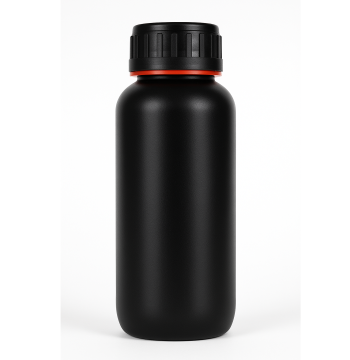
The box itself feels sturdy and the USB connection is stable. However, the software interface looks a bit dated. It gets the job done, but a UI refresh would be welcome.

Description
Reviews
| Brand | - |
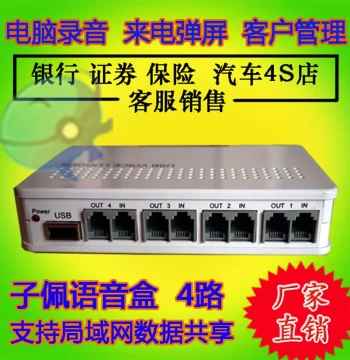
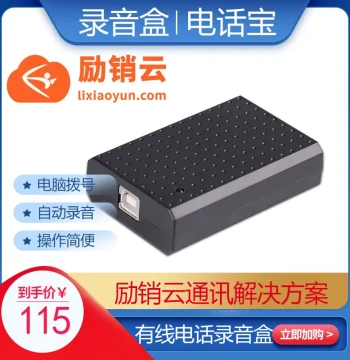
| Category | Office Equipment, Supplies & Services / Phone Recording Devices |
| Origin | - |
| Recording Channels | 1-Channel Landline |
| Interface Type | USB 2.0 |
| Display Feature | Pop-up Screen Notification |
| Auto Recording | Yes, Hands-free Activation |
| Blacklist Function | Supported via Software |
| Bulk Dialing | Integrated in PC Software |
| Headset Compatibility | Standard 3.5mm Jack |
| Storage Method | Direct to Computer Hard Drive |
| Operating System | Windows 10/11 Compatible |
| Color | Black |
Anonymous
Mar 30, 2026
Rating: 3/5
Good hardware, software needs update
The box itself feels sturdy and the USB connection is stable. However, the software interface looks a bit dated. It gets the job done, but a UI refresh would be welcome.
Anonymous
Mar 29, 2026
Rating: 5/5
Excellent for customer service training
We use this to train our small support team. The ability to save specific calls and tag them in the software is fantastic. Highly recommend for small businesses.
Anonymous
Mar 24, 2026
Rating: 5/5
Reliable auto-recording
I love that it automatically starts recording when the phone rings. No more forgetting to hit the record button. The files are easy to organize on my computer.
Anonymous
Mar 22, 2026
Rating: 4/5
Great software features
The bulk dialing and blacklist features work smoothly through the included software. Audio quality is clear. Only giving 4 stars because the manual could be more detailed regarding advanced settings.
Anonymous
Mar 18, 2026
Rating: 4/5
Solid value for the price
Does everything advertised. The headset integration works well with my existing gear. Call clarity is preserved perfectly in the recordings.
Anonymous
Mar 12, 2026
Rating: 5/5
Perfect for my home office setup
This device was exactly what I needed to record client calls legally and efficiently. The pop-up screen is a nice touch so I know when recording is active. Setup took less than ten minutes.
Q: Is there a limit to how many numbers I can add to the blacklist?
A: The software supports a dynamic blacklist limited only by your computer's storage capacity. You can easily import and export lists via CSV files.
Q: Does this device work with VoIP phones or only traditional landlines?
A: The Pioneer XF-USB/V1 is designed specifically for traditional analog landline connections. It is not compatible with pure VoIP systems without an analog telephone adapter (ATA).
Q: Can I export the recorded files to MP3 format?
A: Yes, the accompanying software allows you to export recorded conversations in multiple formats, including WAV and MP3, for easy sharing and archiving.
Q: Does the pop-up screen show the caller ID?
A: Yes, the pop-up notification displays the incoming caller ID number and, if available in your contacts, the associated name along with the recording status.
Q: What happens if my computer goes to sleep during a call?
A: For continuous recording, we recommend adjusting your power settings to prevent the computer from sleeping. If the PC sleeps, recording will pause until the system wakes up.