Anonymous
Mar 27, 2026
Rating: 5/5
Perfect for industrial prototyping
We are using these for a new control panel prototype. The dual-architecture support allows us to test code compatibility easily. Stable power delivery and robust build quality.
Description
Reviews
| Brand | - |
| Category | Robotics / STEM Teaching Tools / Development, Learning, Evaluation & Industrial Control Boards |
| Origin | - |
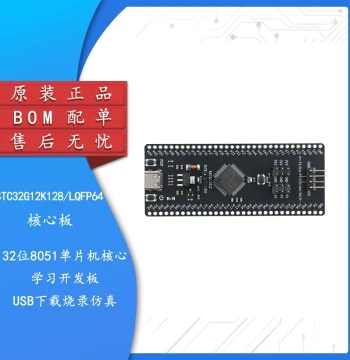
| Processor | RP2350 (Dual-core ARM Cortex-M33 + Dual-core RISC-V) |
| Clock Speed | Up to 150 MHz |
| Flash Memory | 4MB On-board QSPI Flash |
| SRAM | 520KB |
| Video Output | DVI-D Interface (via GPIO bit-banging) |
| Supported Languages | MicroPython, C/C++, CircuitPython |
| Connectivity | USB 1.1 Type-C (Device/Host), 2x UART, 2x SPI, 2x I2C |
| GPIO Pins | 26 Multi-function GPIO pins |
| Power Supply | 5V via USB or VSYS pin (1.8V - 5.5V) |
| Dimensions | 51mm x 21mm |
Anonymous
Mar 27, 2026
Rating: 5/5
Perfect for industrial prototyping
We are using these for a new control panel prototype. The dual-architecture support allows us to test code compatibility easily. Stable power delivery and robust build quality.
Anonymous
Mar 25, 2026
Rating: 4/5
Fun for retro emulation projects
Trying to build a handheld emulator. The processing power handles GB/GBC games easily. Wish it had a bit more RAM for NES titles, but overall a fantastic little board.
Anonymous
Mar 23, 2026
Rating: 5/5
Excellent upgrade from the original Pico
The RP2350 chip is a beast. The added RISC-V cores and improved security features make this board perfect for my embedded projects. The DVI output works flawlessly with the provided MicroPython libraries.
Anonymous
Mar 17, 2026
Rating: 4/5
Great board, steep learning curve for video
Hardware quality is top-notch as expected from Waveshare. Getting the DVI interface to render complex graphics requires some optimization, but the performance is impressive for the price point.
Anonymous
Mar 12, 2026
Rating: 5/5
Reliable and feature-rich
The GPIO breakdown is very convenient. I appreciate the dedicated power LED and the easy-to-use boot button. MicroPython runs smoothly, and the DVI demo scripts are a great starting point.
Anonymous
Mar 09, 2026
Rating: 5/5
Best value for learning embedded systems
Bought this for my university project. The documentation is clear, and the community support for the RP2350 is growing fast. Being able to output video directly without an extra chip is a game changer.
Q: Does this come with headers pre-soldered?
A: No, this board is typically shipped without headers soldered to allow for flexible mounting options (e.g., using pin sockets or soldering directly to a PCB). You will need to purchase and solder standard 2.54mm pin headers separately.
Q: Is the 5V pin an input or output?
A: The VSYS/5V pin can function as both. You can power the board by supplying 1.8V to 5.5V to this pin, or you can draw power from this pin when the board is powered via USB, though current availability depends on your USB source limits.
Q: What is the maximum resolution supported on the DVI output?
A: Depending on the timing and complexity of your graphics, the board can typically handle resolutions up to 640x480 at 60Hz comfortably. Higher resolutions like 800x600 are possible but may require optimized code and reduced color depth.
Q: Can I program this using the Arduino IDE?
A: Yes, the RP2350 is supported by the Arduino core. You can install the Raspberry Pi Pico board package in the Arduino IDE and select the appropriate variant for the Waveshare RP2350 board.
Q: Does this board support HDMI monitors or only DVI?
A: This board outputs a DVI-D signal. It works directly with DVI monitors. To use an HDMI monitor, you will need a passive DVI-to-HDMI adapter cable, which works in most cases as the signaling is compatible.