Anonymous
Mar 31, 2026
Rating: 5/5
Essential travel accessory
Took this on a two-week trip to backup photos daily. Being able to plug it into both my laptop at the hotel and my phone during the day was incredibly convenient.
Description
Reviews
| Brand | - |
| Category | Root / Flash Cards, USB Drives & External Storage |
| Origin | - |
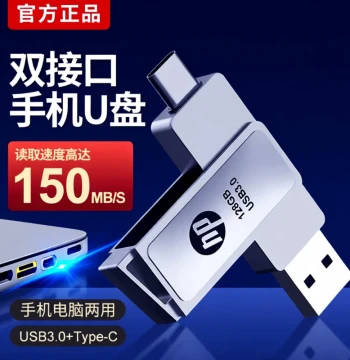
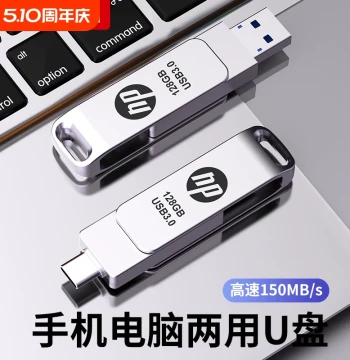
| Capacity Options | 128GB, 256GB |
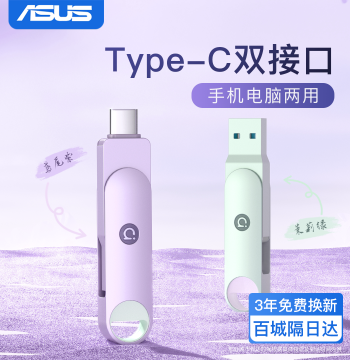
| Interface Type | USB-A and Lightning Connector |
| Compatibility | iPhone, iPad, Mac, Windows PC |
| Data Transfer Speed | Up to 150MB/s Read Speed |
| Material | Aluminum Alloy Housing |
| Dimensions | 6.5 x 1.8 x 0.9 cm |
| Weight | 15 grams |
| Supported File Systems | FAT32, exFAT |
| App Requirement | Free Companion App for iOS Management |
| Warranty | 18-Month Manufacturer Warranty |
Anonymous
Mar 31, 2026
Rating: 5/5
Essential travel accessory
Took this on a two-week trip to backup photos daily. Being able to plug it into both my laptop at the hotel and my phone during the day was incredibly convenient.

Anonymous
Mar 25, 2026
Rating: 4/5
Fast transfer speeds
Transferring large video files from my computer to my iPhone took only a few minutes. It gets slightly warm during heavy use, but nothing concerning. Great value for the price.
Anonymous
Mar 18, 2026
Rating: 5/5
Sleek design and reliable
The aluminum body feels premium and matches my MacBook perfectly. I've been using the 256GB version for three months without any data loss or connection issues.
Anonymous
Mar 08, 2026
Rating: 3/5
Good but app could be better
The hardware is solid and works well for simple file transfers. However, the companion app interface is a bit clunky when organizing folders. Still, it gets the job done.
Anonymous
Mar 04, 2026
Rating: 4/5
Great capacity for the size
It's amazing how much storage fits in such a small device. I use it primarily for carrying work documents between my office PC and personal iPhone. Highly recommended.
Anonymous
Mar 01, 2026
Rating: 5/5
Perfect for freeing up iPhone space
I was constantly deleting photos to make room on my phone. This drive made it so easy to back up everything and watch movies directly from the stick. The dual interface is a game changer.
Q: Do I need to install an app to use this on my computer?
A: No app is required for computer usage. You can simply plug the USB-A end into your Windows PC or Mac and access it like any standard external hard drive.
Q: What happens if the drive fills up completely?
A: Once full, you will need to delete old files or transfer them to another device before saving new data. We recommend regularly backing up your important files to the cloud or a secondary drive.
Q: Is the data secure if I lose the drive?
A: The drive itself does not have built-in encryption, but the companion app offers a password-protected vault feature where you can store sensitive files securely.
Q: Can I stream videos directly from the drive to my phone?
A: Absolutely. Using our free companion app, you can stream movies and TV shows stored on the drive directly to your iPhone without taking up internal storage space.
Q: Does this drive work with the latest iPhone 15 models?
A: Yes, this drive is compatible with all iPhone models that support Lightning connections. For USB-C iPhones, you may need a simple adapter, but it functions perfectly with the included interfaces.